Quick overview
This is some text inside of a div block.
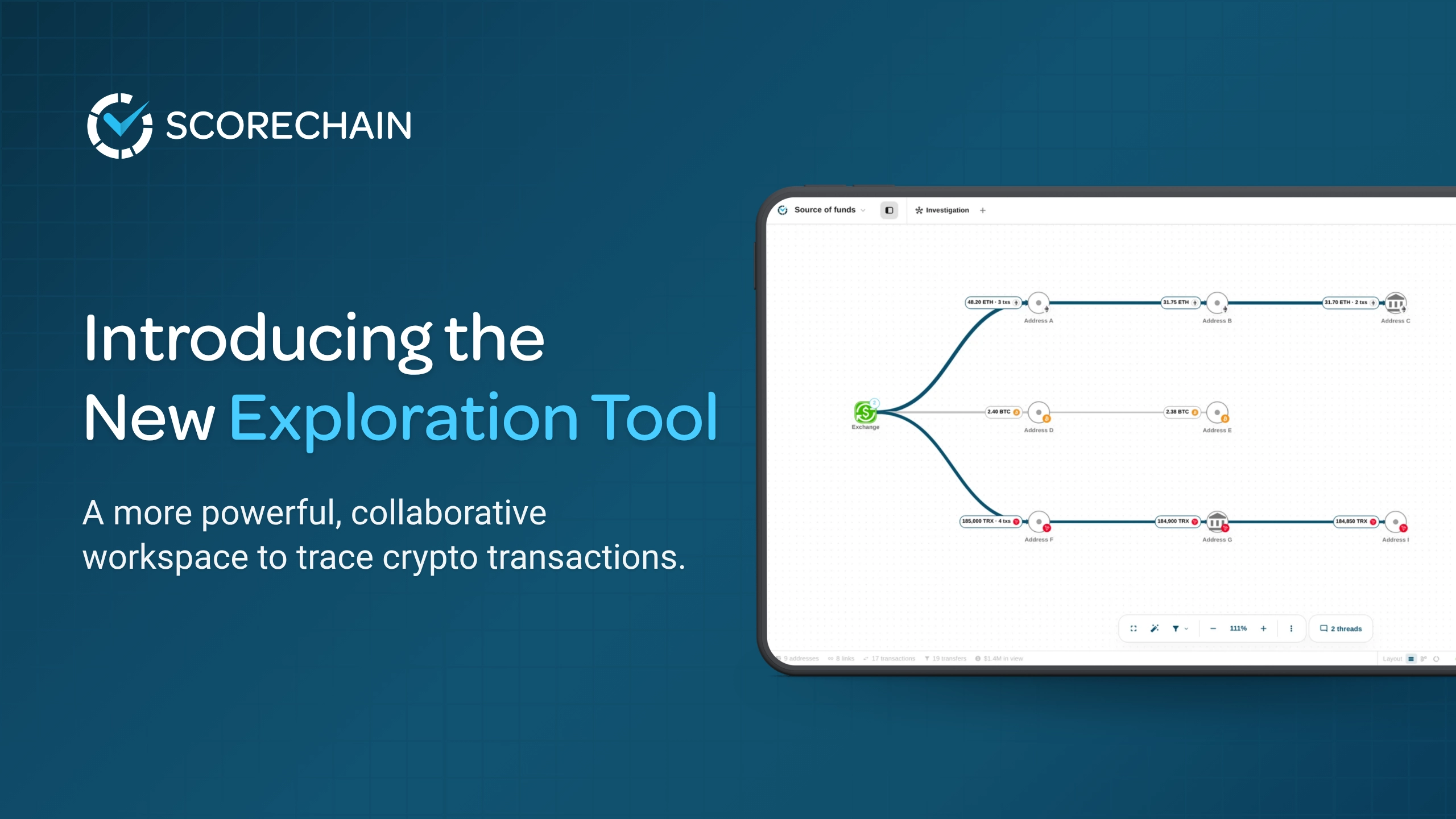
Scorechain has released a new version of the Exploration Tool, its investigation workspace for compliance teams, law enforcement agencies, and asset recovery specialists. We rebuilt it from the graph up between April and September 2026 and designed it with 16 investigators. You can now filter counterparties before they reach the graph, see bridges as part of the case, and work on the same investigation as your colleagues in real time.
The Exploration Tool is Scorechain's crypto investigation tool. It turns blockchain transactions into a graph that analysts can explore, annotate, and share. For the wider method, see our guide to blockchain investigations.
It sits inside the Scorechain platform, alongside Wallet Screening, Transaction Monitoring, Flux Analysis, and Digital Asset Intelligence. Every node on the graph draws on the same entity attribution and risk scoring that compliance teams already rely on.
Customers and investigators had been telling us the same three things:
One investigator in our co-design workshops put the stakes plainly: "The worst thing you can do during an exploration is lose your progress or break your graph." That sentence shaped many of the decisions below.
You decide what enters the graph. Before you load counterparties, you can filter and sort them by amount, asset, and date, and leave out the noise from the start.
Bridges now have their own place on the graph and their own panel, and a single case can span several blockchains. When funds leave one chain through a bridge, you add the receiving address on the destination chain to the same exploration and keep going. Every chain then sits in one case file instead of several separate graphs.
An exploration can be private or shared with your organisation. When it's shared:
Selecting a node opens a side panel with what the analyst needs next:
To trace a wallet address in the Exploration Tool, start a new exploration, add the address as the first node, and expand its incoming or outgoing funds with filters applied. Then open the side panel on each counterparty to check entity, risk, and hosting status, and record what you find as comments on the graph.
In one session, the starting point was an address funded by a centralised exchange. One bitcoin and change had been split across six outgoing addresses plus a change address, and all of it flowed back to the same exchange. Switching from USD to native units and applying date and amount filters turned a messy graph into a short story: funded by an exchange, returned to the same exchange. For a compliance officer who needs a clear answer for the regulator, that clarity is the point.
Source of funds checks are part of enhanced due diligence under the EU anti-money laundering framework and the Financial Action Task Force (FATF) standards. A readable graph, saved with comments and exported to the customer file, gives the reviewer evidence that can be checked. Read more about source of funds checks with Scorechain.
In another session, a recovery team's case started from a single transaction. The funds bounced through two relay addresses and left in six transactions towards a bridge. The investigator labelled the relay nodes with comments, and a colleague joined the exploration live. The team grouped the two relay addresses, added the receiving address on the destination chain, and continued the trace in the same case.
The new Exploration Tool was co-designed with two groups of practitioners:
Many of the features above came straight from those sessions: live collaboration, snapshots, renaming, comments, a layout that stays in place, and the filters.
Investigations saved in the previous version move to the new Exploration Tool, so existing work carries over. The previous version will be switched off in early 2027, and Scorechain's Customer Success team is contacting affected users directly.
The next release extends cross-chain work further. When funds cross a covered bridge, the tool will follow them onto the destination chain automatically, and tracing through DEX swaps will follow. We will announce each release when it is live.
Yes. Bridges have their own place on the graph and their own panel, and one exploration can hold addresses from several blockchains. When funds cross a bridge, you add the receiving address on the destination chain to the same case. Automatic following through covered bridges is the next release.
It shows where an address's funds came from, which entities were involved, and what risk they carry, in a graph a reviewer can read. Filters remove the noise, entity and risk context sits one click away, and comments, snapshots, and exports turn the check into documented evidence for the customer file.
Compliance teams at VASPs, banks, and fintechs use it for source of funds checks and to investigate transaction monitoring alerts. Law enforcement agencies and asset recovery firms use it to follow stolen or illicit funds and build evidence for a case.
Yes. A shared exploration shows who else is on the graph, keeps comments and threads on the nodes they concern, and saves snapshots you can return to. A private exploration stays visible only to its owner.
Yes. A graph can be exported as JSON or as an image. Comments and snapshots stay in the exploration, so the case can be reopened and reviewed later.
The new Exploration Tool is available in the Scorechain platform. If your team runs source of funds checks, investigates transaction monitoring alerts, or traces funds for a case, book a demo and bring an address you are working on.