AML workflow automation
Crypto AML Automation for Zapier, Make, and n8n
Connect Scorechain with the tools your team already uses. Route compliance data, trigger internal actions and reduce repetitive manual steps across your workflows.

AML workflow automation
Connect Scorechain with the tools your team already uses. Route compliance data, trigger internal actions and reduce repetitive manual steps across your workflows.













Add Scorechain risk scoring as a step in the workflow tools your operations team already runs. Set the analysis type, blockchain, and target in the step, then route the result to the systems that need it.

Add Scorechain as a step in any Zap. Addresses from forms, chats, or your CRM are scored and passed to the next step.
Use the Get Risk Scoring Analysis action in any Zap
Set the analysis type, target, blockchain, depth, and asset filter
Map the risk score into Slack, Sheets, or your CRM

Add Scorechain to any Make scenario, score an address, transaction, or wallet and route by risk.
Use the Get Scoring Analysis module, or Make an API Call for any other endpoint
Score an address, transaction, or wallet in a single module
Log every assessment to Google Sheets or a CRM
Add the Scorechain node to any n8n workflow and send risk scores to your internal systems, in the cloud or self-hosted.
A community node built and maintained by Scorechain
Score addresses, transactions, and wallets across 25+ blockchains
Send results to internal databases, case tools, or any API your team runs
Build repeatable processes around your compliance operations without making your team switch between disconnected tools for every step.

Bring relevant Scorechain data into the business tools your team already works with, subject to your integration setup.

Use workflow triggers and actions to cut down on manual copying, notifications and routine hand-offs.

Define consistent steps for routing information, notifying the right people and recording workflow activity.
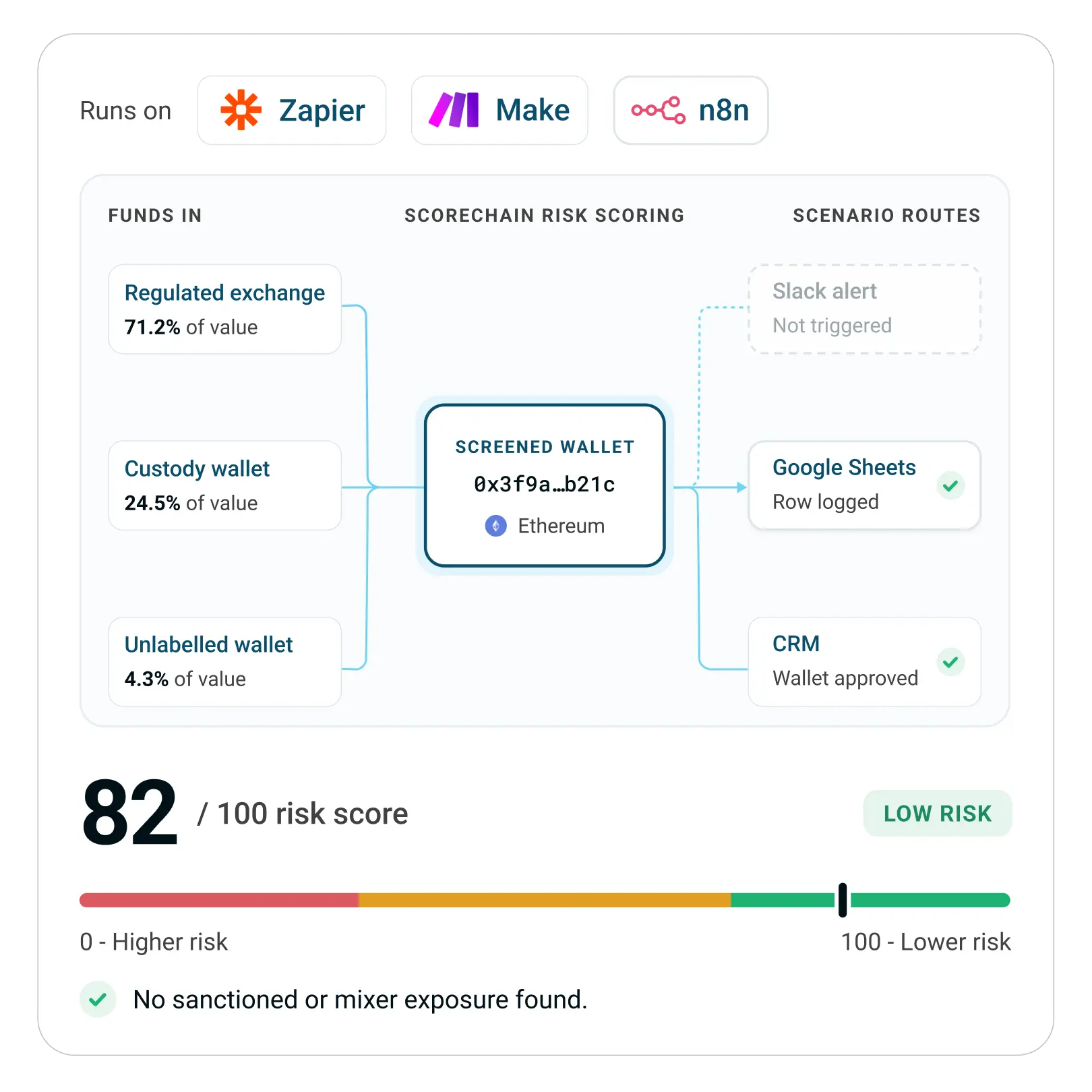
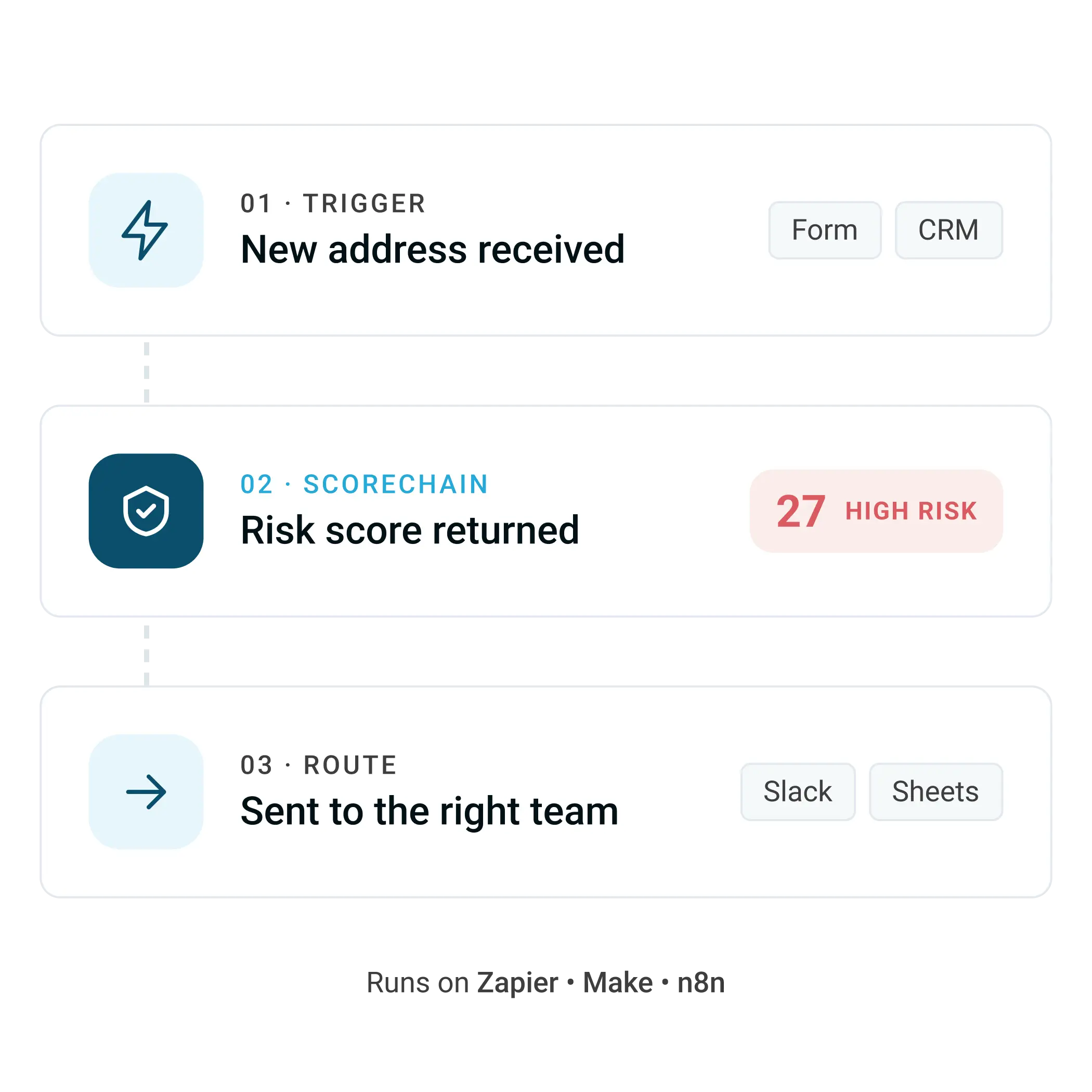
Every workflow follows the same three steps. An event brings in an address or transaction, Scorechain scores it, and the result goes to the team or system that needs to act on it.
Trigger the workflow. A new address, deposit, or transaction arrives from a form, your CRM, a chat message, or an internal tool.
Request a Scorechain risk score. The workflow sends the address or transaction to Scorechain and receives a risk score with the exposures behind it.
Route the result. Depending on the score, the workflow sends an alert to Slack, opens a case in your CRM, or logs the assessment to Google Sheets for your audit trail.
Four common ways compliance and operations teams use Scorechain risk scores inside Zapier, Make, and n8n.
Score a customer's wallet address when they sign up or add a withdrawal address, and hold the account for review if the risk is high.
Send an alert to Slack or email when a deposit or address scores in the high-risk band, with the score and top exposures included.
Log each assessment to Google Sheets, a CRM, or an internal database, so you have a record of what was screened, when, and with what result.
Open a case in your CRM or case management tool when a score needs a second look, so it goes straight to the analyst responsible.
Answers to the questions teams ask before connecting Scorechain to their workflow tools.
Which platforms support crypto AML automation with Scorechain?

Can I automate crypto wallet screening without writing code?
Which blockchains and assets can I screen?
What can I configure in the Scorechain step?
Who maintains the Make modules and the n8n node?
Where do risk scores go after a workflow runs?
Does automation replace compliance decisions?
Can I use the Scorechain API for custom compliance automation?
Can consumption be exported for reporting?
The Scorechain API powers every integration on this page, so you can build custom screening workflows for your own systems. Tell us what you want to automate, and our team will help you choose between Zapier, Make, n8n, or a direct API integration.